Mixed Dorms
Ideal for social travelers, these rooms offer comfortable beds with personal lockers and air conditioning.
Book Now
Playa del Carmen, Mx

Comfortable Accommodations for Every Kind of Traveler <br /><br /> At Izsla, we believe your stay should feel like home—with a touch of tropical adventure. Whether you're traveling solo, with friends, or as a couple, we offer thoughtfully designed spaces to suit your style and budget. <br /><br /> 🌐 Mixed Dorms Perfect for social butterflies and backpackers, our mixed dorms are air-conditioned, secure, and spacious. Each guest has their own personal locker, reading light, and comfy bedding to wind down after a day exploring Playa del Carmen. <br /><br /> 👩🦰 Female-Only Dorms For added comfort and peace of mind, our women-only dorms offer all the same amenities in a quiet, supportive space designed just for female travelers. <br /><br /> 🛌 Private Rooms & Suites If you’re seeking a little extra privacy, our beautifully appointed private rooms and suites offer a quiet retreat. Enjoy ensuite bathrooms, cozy beds, A/C, and tasteful decor—ideal for couples or digital nomads wanting their own corner of paradise. <br /><br /> All rooms include daily cleaning, free Wi-Fi, and access to all common areas, including the rooftop pool, guest kitchen, and co-working spaces.
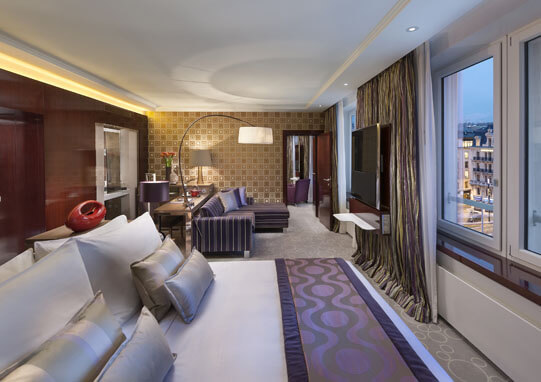
Ideal for social travelers, these rooms offer comfortable beds with personal lockers and air conditioning.
Book Now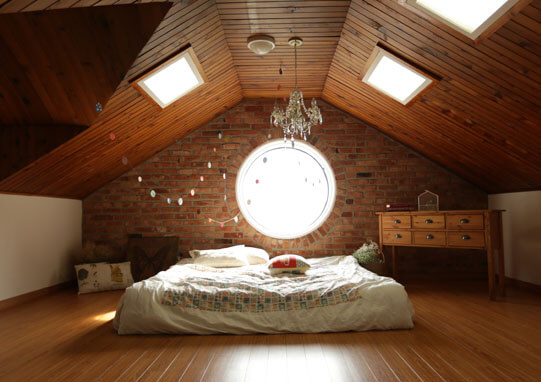
Designed with security and comfort in mind, featuring the same amenities as mixed dorms.
Book Now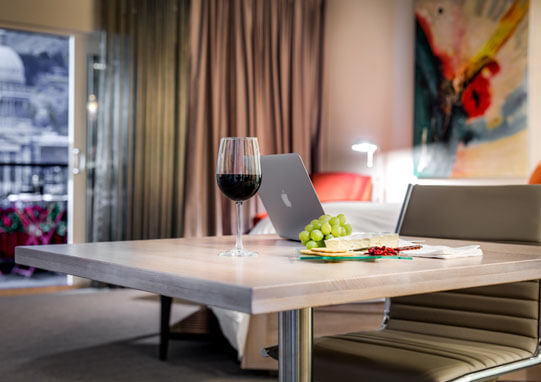
For those seeking privacy, these rooms come with en-suite bathrooms, air conditioning, and cozy furnishings.
Book NowAt Izsla, we go beyond the basics to make sure your stay is not just comfortable—but unforgettable. Whether you're here to relax, explore, or get a bit of work done between adventures, you'll find everything you need right here. <br /><br /> 🌐 Free High-Speed Wi-Fi Stay connected throughout the property—whether you're video calling family, uploading travel pics, or catching up on emails. <br /><br /> 🍳 Fully Equipped Guest Kitchen Cook up your own meals or share recipes with new friends. Our kitchen comes stocked with modern appliances, utensils, and community vibes. <br /><br /> 📺 Common Area & Smart TV Chill out in our cozy lounge, stream your favorite shows, or meet other travelers in a relaxed setting. <br /><br /> 🔐 Secure Lockers & 24/7 Reception Your safety is our priority. Enjoy peace of mind with personal lockers and a reception desk that's always open—day or night. <br /><br /> 🧺 Daily Cleaning Service We keep things fresh and tidy so you can focus on enjoying your stay. <br /><br /> 🧑💻 Co-Working Space Need to catch up on work? Our quiet workspace lets you stay productive with reliable Wi-Fi and a calm environment. <br /><br /> 🏊 Rooftop Pool Access All guests enjoy access to our stunning rooftop pool and lounge area—perfect for sunsets, cocktails, or mid-day swims.
Prime Location: Just steps away from the beach and 5th Avenue. <br><br> Rooftop Pool and Bar: Enjoy panoramic views and vibrant nightlife. <br><br> Curated Tours: Explore local attractions with ease. <br><br> Community Events: Engage in regular themed events and parties.
Top 5 Must-Visit Spots in Playa del Carmen <br /><br /> How to Make the Most of Your Stay at Izsla Hostel <br /><br /> Exploring the Yucatán Peninsula: A Traveler's Guide

Of Mountains & Printing Presses
The goal of this new editor is to make adding rich content to WordPress simple and enjoyable. This whole post is composed of pieces of content—somewhat similar to LEGO bricks—that you can move around and interact with. Move your cursor around and you’ll notice the different blocks light up with outlines and arrows. Press the arrows to reposition blocks quickly, without fearing about losing things in the process of copying and pasting.
What you are reading now is a text block the most basic block of all. The text block has its own controls to be moved freely around the post…
… like this one, which is right aligned.
Headings are separate blocks as well, which helps with the outline and organization of your content.
Handling images and media with the utmost care is a primary focus of the new editor. Hopefully, you’ll find aspects of adding captions or going full-width with your pictures much easier and robust than before.

Try selecting and removing or editing the caption, now you don’t have to be careful about selecting the image or other text by mistake and ruining the presentation.
Imagine everything that WordPress can do is available to you quickly and in the same place on the interface. No need to figure out HTML tags, classes, or remember complicated shortcode syntax. That’s the spirit behind the inserter—the (+) button you’ll see around the editor—which allows you to browse all available content blocks and add them into your post. Plugins and themes are able to register their own, opening up all sort of possibilities for rich editing and publishing.
Go give it a try, you may discover things WordPress can already add into your posts that you didn’t know about. Here’s a short list of what you can currently find there:
A huge benefit of blocks is that you can edit them in place and manipulate your content directly. Instead of having fields for editing things like the source of a quote, or the text of a button, you can directly change the content. Try editing the following quote:
The editor will endeavor to create a new page and post building experience that makes writing rich posts effortless, and has “blocks” to make it easy what today might take shortcodes, custom HTML, or “mystery meat” embed discovery.
Matt Mullenweg, 2017
The information corresponding to the source of the quote is a separate text field, similar to captions under images, so the structure of the quote is protected even if you select, modify, or remove the source. It’s always easy to add it back.
Blocks can be anything you need. For instance, you may want to add a subdued quote as part of the composition of your text, or you may prefer to display a giant stylized one. All of these options are available in the inserter.



You can change the amount of columns in your galleries by dragging a slider in the block inspector in the sidebar.
If you combine the new wide and full-wide alignments with galleries, you can create a very media rich layout, very quickly:

Sure, the full-wide image can be pretty big. But sometimes the image is worth it.


The above is a gallery with just two images. It’s an easier way to create visually appealing layouts, without having to deal with floats. You can also easily convert the gallery back to individual images again, by using the block switcher.
Any block can opt into these alignments. The embed block has them also, and is responsive out of the box:
You can build any block you like, static or dynamic, decorative or plain. Here’s a pullquote block:
Code is Poetry
The WordPress community
If you want to learn more about how to build additional blocks, or if you are interested in helping with the project, head over to the GitHub repository.
Thanks for testing Gutenberg!
👋